How connectors work
A connector is a read-only connection to one source. Flipper AI polls it, stores what is new as episodes, and never writes back.
Team versus personal
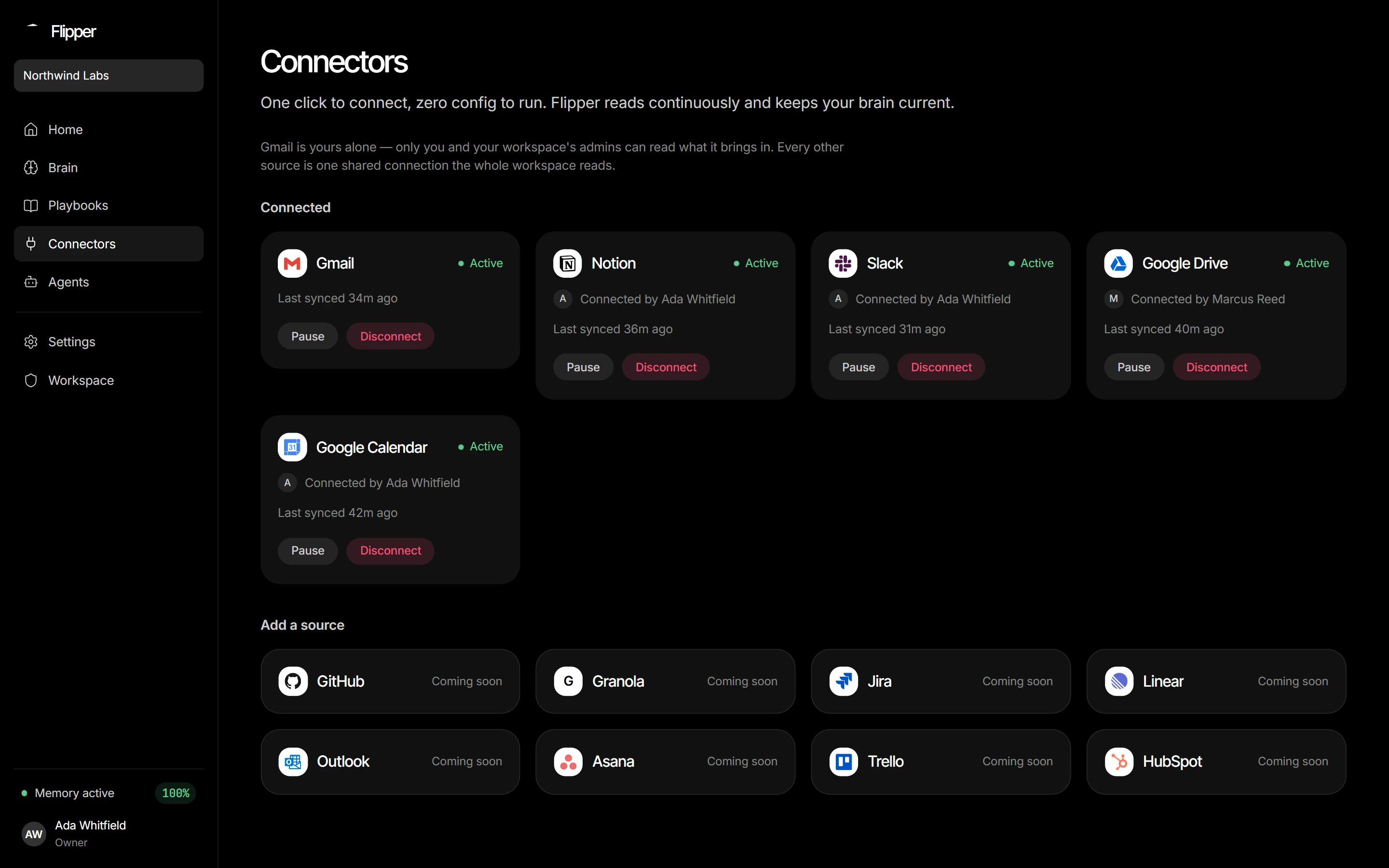
Gmail is the only per-person connector — your mail is yours, so each member connects their own, and only they can read what it brings in. Every other source (Slack, Drive, Calendar, Notion, Jira, Trello, GitHub, uploads) is a single shared workspace connection that an owner or admin sets up once for everybody.
Cadence and first sync
Every connector shares one hourly poll. The alignment is the point rather than the interval: staggered per-source schedules kept the database permanently awake, while identical wall-clock crons make the polls coincide and leave long idle stretches between them. Freshness between ticks comes from webhooks, not from a tighter poll — Slack Events and Google push notifications wake the matching connector within a minute.
The first-sync window depends on your plan: 7 days on trial, 30 on every paid plan. Only Notion backfills on first connect, and deliberately so: a wiki's value is the pages already in it, whereas a bounded window on a stream source is what stops a backfill costing a fortune in synthesis and burying today's signal under two years of noise.
What Flipper AI reads
Public Slack channels only — never DMs, never private channels.
Notion pages you explicitly share with the integration.
Drive files the connecting account can already open.
Calendar events, including attendees, for scheduling context.
Jira issues the connecting account can see — summary, description and comments.
Trello cards on your open boards, with their list, description and comments.
GitHub issues and pull requests in the repositories you name at connect, with their comments — never code.